Editor’s note: This week, we’re at BETT in London, where you can visit us at booth SE30. If you’re #NotAtBett, follow along on Twitter and Facebook.
On the Google for Education team, we think a lot about how to make sure the technology we’re delivering and schools are using is sustainable. Devices shouldn’t have to be constantly refreshed or replaced after just a couple of years in the classroom. They should be used year after year and consistent updates should continue to expand functionality.
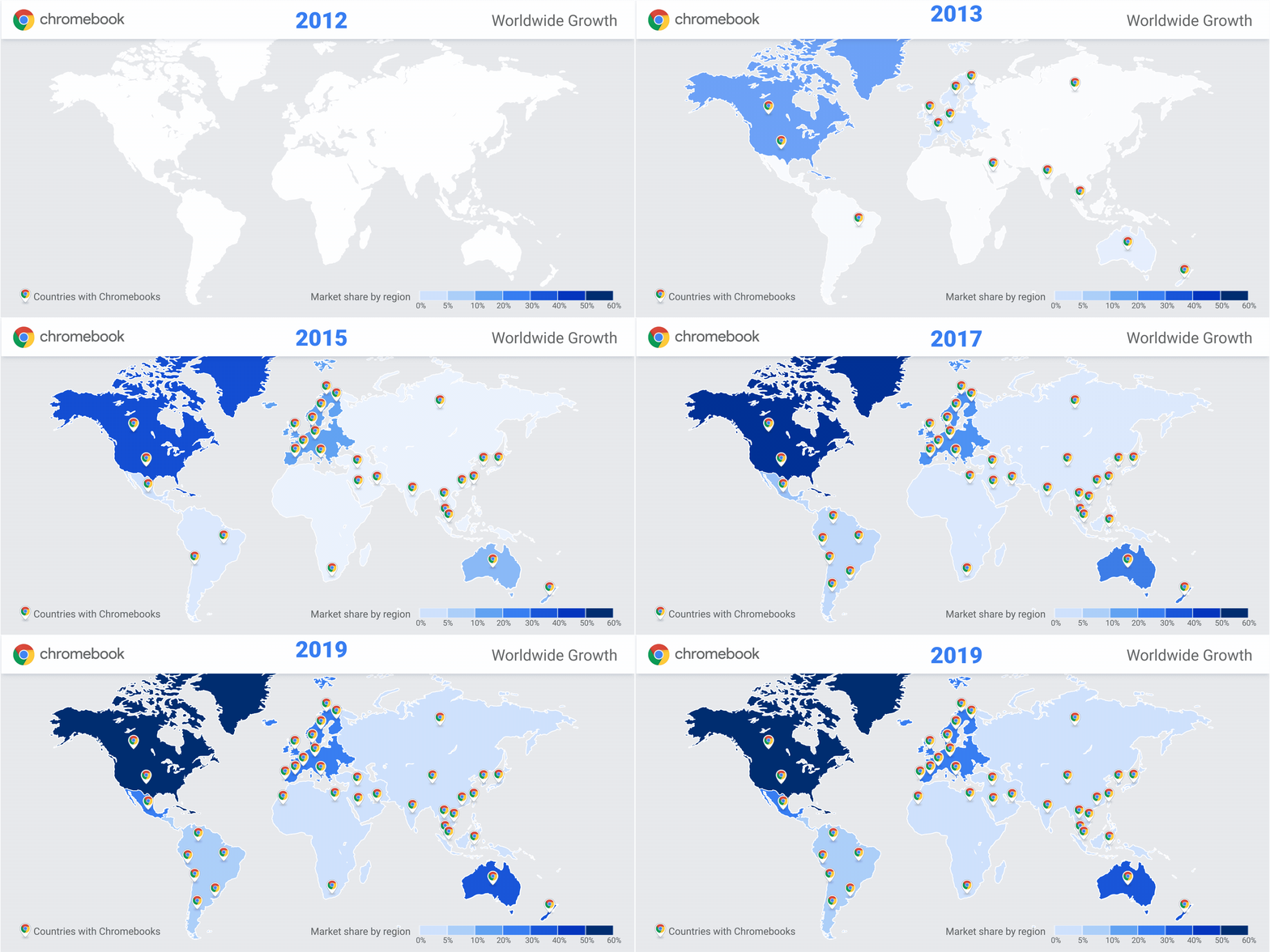
We launched Chromebooks 10 years ago to reimagine what personal computers could do- devices that champion speed, simplicity, and security. Thanks to feedback from administrators, we created the Chrome Education Upgrade, which allows IT admins working in schools to have more control over the hundreds of thousands of devices they manage. To make sure Chromebooks are packed with the latest and greatest and to build long term value into each device, we automatically send security updates and features to devices every 6 weeks, and we work with Chromebook manufacturers to make sure schools get the most out of them.
We believe in making devices that are more sustainable and are packed with features that empower teachers and students to get the most out of their teaching and learning while delivering value for schools around the world. So today, we’re sharing new updates to our Automatic Update Expiration date policy, new devices for 2020 with longer life and more capabilities including touch screens and improved UI, and a new price for the Chrome Education Upgrade.
Forty million students and educators now use Chromebooks, and we’re still listening to them every step of the way.
Simplifying IT for schools
Chrome Education Upgrade unlocks the full capabilities of Chrome OS and frees up IT resources. When IT admins are given tools to streamline school management, they can work with teachers to simplify workloads. This means that students get more time and attention from educators.
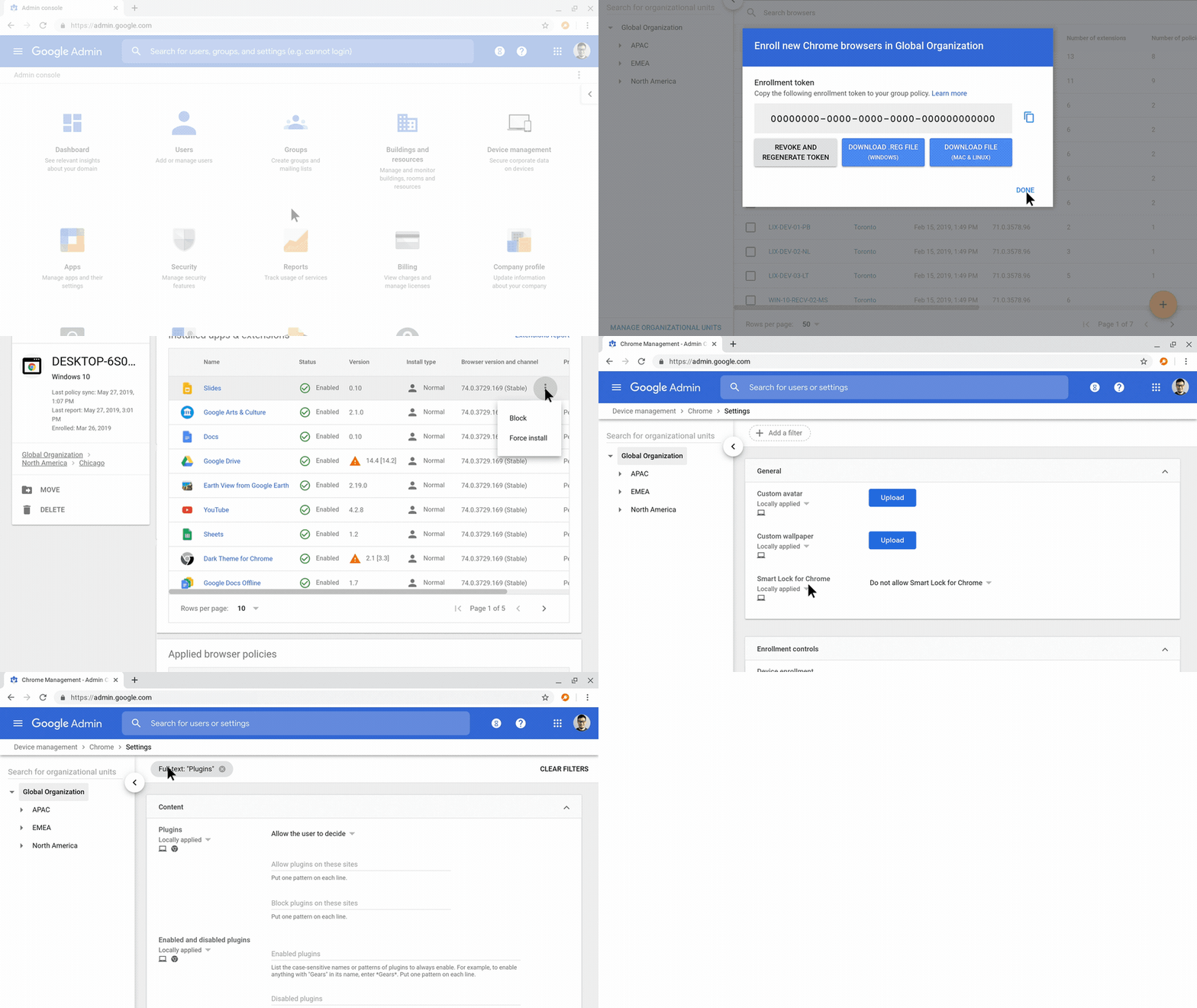
Managed access puts admins in control of what users can access and how the devices can be used. It simplifies device deployment with the help of a cloud-based command center where admins can manage settings and oversee all devices in their fleet. It also provides advanced security controls, which allow IT admins to disable devices remotely, set up persistent enrollment to prevent unrestricted access or set data to remove at the end of each session.
Automatic updates are getting a refresh
Today, we’re announcing changes to the Chrome OS Automatic Update (AUE) policy. Based on feedback from customers, Chromebook manufacturers and partners, we are now providing security and feature updates for a longer period.
Automatic updates provide important fixes for security, stability, and new features. With two copies of the operating system on each device, one can be silently updated without disrupting your work—or class! However, at a certain point, we can no longer push updates or guarantee a device’s hardware and security.
When we first launched Chromebooks, devices only received three years of automatic updates. Over the years, we’ve been able to increase that to over six. Last fall, we extended AUE on many devices currently for sale, in many cases adding an extra year or more before they expire. This will help schools better select which devices to invest in and provide more time to transition from older devices.
And now, devices launching in 2020 and beyond will receive automatic updates for even longer. The new Lenovo 10e Chromebook Tablet and Acer Chromebook 712 will both receive automatic updates until June 2028. So if you’re considering refreshing your fleet or investing in new devices, now is a great time. For a full list of AUE dates, see the Automatic Update Expiration policy on our Help Center.
With 20+ new devices for education, extended years of automatic updates on more devices and more than 200 controls for admins and counting in Google Admin Console, Chromebooks can provide a stronger return on investment than ever before. To support this greater lifespan, we’ve increased the list price of the Chrome Education Upgrade from $30 to $38. You can purchase Chrome Education Upgrade through your reseller to manage your devices today.
The new and improved Google Admin Console
We recently rolled out improvements to the admin console, including 10 times faster page loads and search functionality. In Google Admin Console, you’ll see a new Devices page where you can search and filter by device, and see the Automatic Update Expiration dates for the devices in your school. All app management for users, browsers, managed guest sessions, and kiosks is now part of a single page where you can manage apps and extensions from the Google Play Store, Chrome Web Store, and self-hosting side by side. You can also pin websites to the taskbar on Chrome OS and provision progressive web apps (PWAs) for your users—all you need to enter is the URL. And in the Settings page, you can manage native printing options more closely with new controls for setting defaults and restrictions on duplex, color and more.
New devices for 2020
Chromebooks are designed for enhanced learning, and the newest devices coming in 2020 are no exception.
The ASUS Chromebook Flip C214 and Lenovo 500e Chromebook come with a rugged design, durable touchscreens, built-in styluses and a 360-degree hinge so students can create and explore in new ways. And with both a user-facing and a world-facing camera, students can collaborate in Hangouts Meet, then flip their screens around to shoot videos for class projects.
Devices like the Pixelbook Go and the new Lenovo Chromebook 10e tablet give teachers and students access to tons of creative tools. Google Slides and Docs make it easy to work together with podcasting, video or coding apps, all of which can be found on the Chromebook App Hub.
by Jim Deno via The Keyword

0 komentar:
Post a Comment